

How to Set Up Car
Payment Reminders on Your Phone
Owning a vehicle is a major milestone, and managing your auto loan payments responsibly is the key to a smooth journey. In today's busy world, it is easy for a due date to slip your mind. A missed payment can lead to unnecessary late fees and may impact your credit history. Fortunately, the smartphone in your pocket is a powerful tool for staying organized and on schedule. Setting up a simple digital reminder takes only a few minutes and provides valuable peace of mind, helping you protect your financial health while you enjoy your car. Whether you are a new owner or just looking to improve your financial habits, learning how to use your phone to track payments is a simple step with significant benefits. At our dealership, we want to see you succeed, and that includes helping you manage your financing effectively. Explore our financing area to learn more about our straightforward process.
By creating a reliable reminder system, you take control of your auto loan, reduce financial stress, and build a positive payment history one month at a time. This simple action reinforces good financial habits that extend far beyond your car loan. Below, we provide detailed, step-by-step instructions for various methods you can use on any iPhone or Android device. Find the approach that works best for your routine and never worry about a forgotten payment due date again.
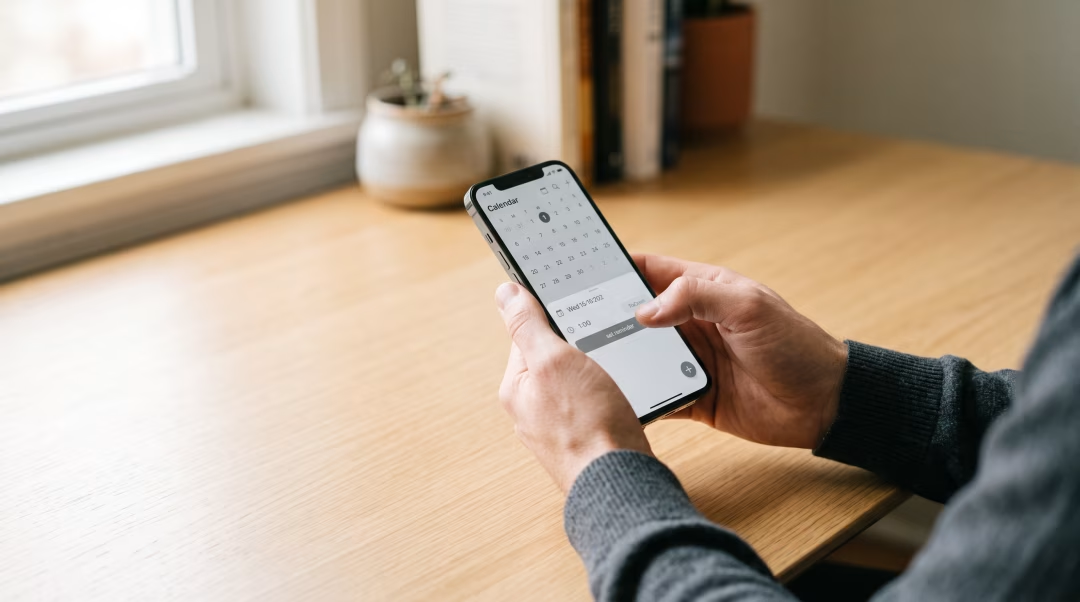
Your Guide to Setting Up Digital Car Payment Alerts
Your car payment is a recurring and predictable expense, which makes it a perfect candidate for digital reminders. A consistent record of on-time payments is one of the most significant factors in building a strong credit profile. Lenders view this consistency as a sign of reliability, which can open doors to better financial opportunities in the future. Conversely, a single late payment can result in a late fee and may be reported to credit bureaus, potentially lowering your score. Establishing a simple reminder system is a proactive way to safeguard your credit and avoid these preventable issues. Let’s explore the most effective ways to use your phone to stay on top of your payment schedule.
Method 1: Using Your Phone’s Built-in Calendar (iOS and Android)
The calendar app that came pre-installed on your smartphone is one of the most reliable tools for managing dates and deadlines. The key is to create a recurring event so you only have to set it up once.
For iPhone Users (iOS Calendar)
Apple's Calendar app is a straightforward way to create detailed, recurring alerts.
- Open the Calendar app and tap the "+" icon at the top right to create a new event.
- For the title, enter something clear like "Car Payment Due" or "Pay Auto Loan."
- Set the date for your next payment due date. You can leave this as an "All-day" event.
- Tap on "Repeat" and select "Every Month." This ensures the event appears on your calendar automatically each month.
- Tap on "Alert." This is the most crucial step. Set an alert for "1 Day Before" or even "3 Days Before." This gives you ample time to make the payment before it is officially due. You can also add a second alert for extra security.
- In the "Notes" section, you can add the payment amount, the lender's website, or your account number for quick reference. Tap "Add" to save the event.
For Android Users (Google Calendar)
Google Calendar offers similar functionality and is standard on most Android devices.
- Open the Google Calendar app and tap the colorful "+" button at the bottom right, then select "Event."
- Add a clear title like "Car Note Due."
- Set the date to your payment due date and toggle on "All day."
- Tap where it says "Does not repeat" and change it to "Every month."
- Under the bell icon, tap "Add notification." We recommend setting a custom notification for 2 or 3 days before the event. This builds in a buffer for processing times.
- Use the "Add description" field to store helpful details like your loan information or the exact payment amount. Tap "Save."
Method 2: Leveraging Dedicated Reminder and Budgeting Apps
While the calendar is effective, several third-party applications are designed specifically for managing bills. Apps like Mint, Prism, or even your personal banking app often have bill-pay reminder features. The advantage of these platforms is that they can sometimes link directly to your accounts, automatically identifying upcoming due dates and amounts. Many also allow you to see your entire financial picture in one place, helping you understand how your car payment fits into your overall monthly budget. If you choose to use one of these apps, make sure it is from a reputable developer and review its security and privacy policies before linking any financial accounts.
Method 3: Activating Lender Notifications and Autopay
Your financing provider, whether it is a bank, credit union, or an in-house financing dealership, likely offers its own notification system. Check their website or mobile app for a settings menu where you can opt-in to receive email or SMS text reminders a few days before your payment is due. This is an excellent backup to your personal calendar reminder.
For the ultimate set-it-and-forget-it approach, consider setting up automatic payments. This authorizes the lender to withdraw the payment from your bank account on the same day each month. It is a fantastic way to maintain a perfect payment history, but it requires diligence. You must always have sufficient funds in your account on the payment date to avoid overdraft fees. To learn more, read about how car payment autopay works and when it makes sense.
Pro Tips for Foolproof Payment Management
Once you have your primary reminder system in place, use these best practices to create a truly effective payment habit.
- Set Alerts Early: Always set your reminder notification for at least two to three days before the actual due date. This buffer accounts for weekends, holidays, and bank processing times, reducing the risk of a payment posting late.
- Confirm Your Payment: After you submit your payment, make it a habit to log into your bank account a day or two later to confirm that the funds have been withdrawn. This helps you catch any potential processing errors.
- Update As Needed: If you ever change your car payment due date or refinance your loan, remember to update your calendar reminders immediately with the new information.
- Use Multiple Methods: For maximum security, do not rely on a single reminder. A great combination is a personal calendar alert set for three days early and an official lender email reminder set for one day early.
What is the best type of reminder for a car payment?
The most effective approach is often a combination of methods. Using your phone's calendar for a recurring alert set a few days early, paired with enabling email or text notifications directly from your lender, creates a reliable, multi-layered system that is difficult to miss.
Should I set a reminder on the due date or before?
Always set your reminder for at least two to three business days *before* the actual due date. This gives you a crucial buffer to submit the payment and allow for bank processing times, especially over weekends or holidays, helping you avoid an accidental late payment.
Can I set up reminders for bi-weekly payments?
Yes. Most calendar applications, including Google Calendar and the iOS Calendar, have a "custom" or "advanced" recurrence option. You can set the event to repeat every two weeks on a specific day, which is perfect for aligning with a bi-weekly pay schedule.
What information should I include in my payment reminder?
In the notes or description section of your calendar event, it is helpful to include the exact payment amount, the name of the lender, your loan account number, and the website or phone number you use to make the payment. This keeps all necessary information in one convenient place.
What if I still forget my payment even with a reminder?
If you realize you have missed a payment, the most important thing to do is act quickly. The first step is to contact your lender immediately to make the payment and explain the situation. For more detailed guidance, learn more about what you should do if you know your car payment will be late.
